

This section assumes you’re already familiar with the RegattaDB software modules (SM, SNA, GDD, DCM, Sequencer, RDB) and how they work together in a RegattaDB deployment.
RegattaCluster resource and let the operator drive Kubernetes and RegattaDB into that state.
Kubernetes Concepts You Will Use
What the operator does for you
- Describes your deployment as a single Kubernetes resource: the
RegattaClusterresource captures the RegattaDB version, image, module settings, storage, and resource sizing you want. - Creates and maintains the Kubernetes resources RegattaDB needs: StatefulSets, Services, ConfigMaps, and storage claims, generated and kept in sync automatically.
- Configures and starts RegattaDB for you: once Kubernetes resources are ready, the operator configures RegattaDB modules and starts or stops RegattaDB through the System Manager (SM).
- Reports readiness continuously: Kubernetes and RegattaDB health are reflected in the
RegattaClusterstatus, so you always know the current state.
Deployment Architecture
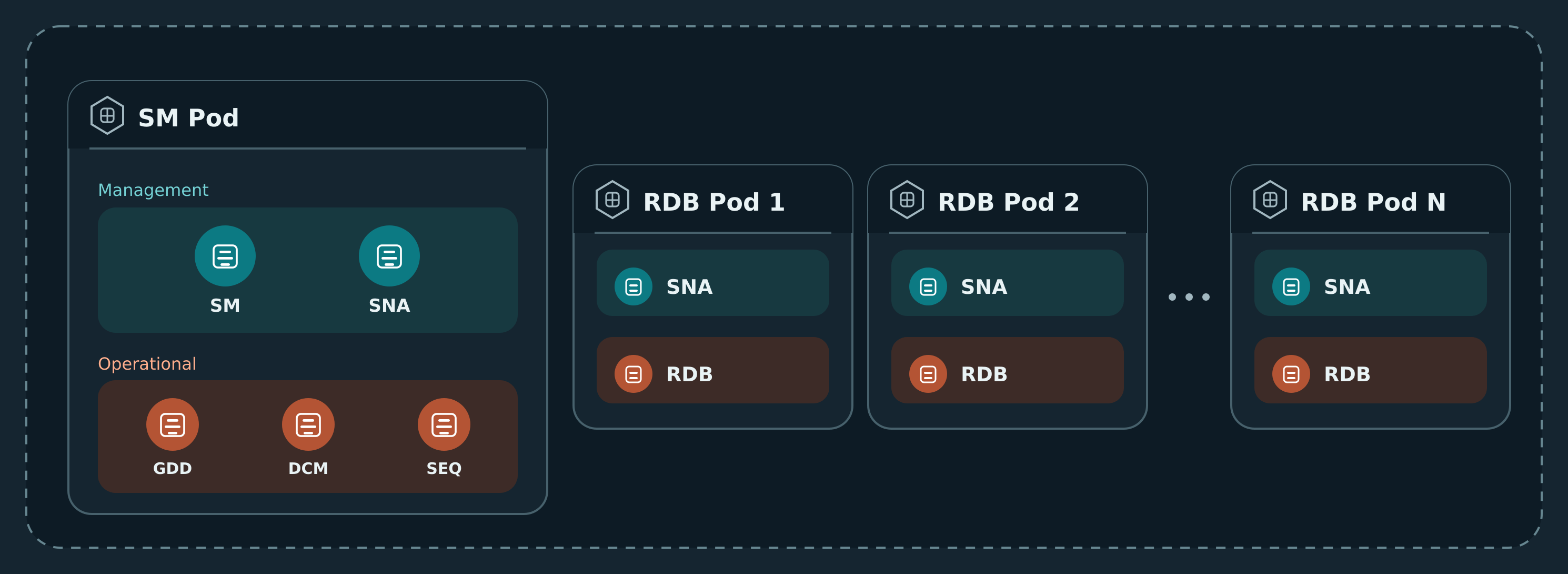
In a manual or RDT-driven RegattaDB deployment, you decide which node runs which modules: one SM, one SNA on every node that hosts an operational module, one GDD, one DCM, one Sequencer, and one or more RDB modules. On Kubernetes, a Pod is the unit that runs one or more RegattaDB modules together, the same role a node plays in a manual deployment. The operator places modules for you, using the following default layout: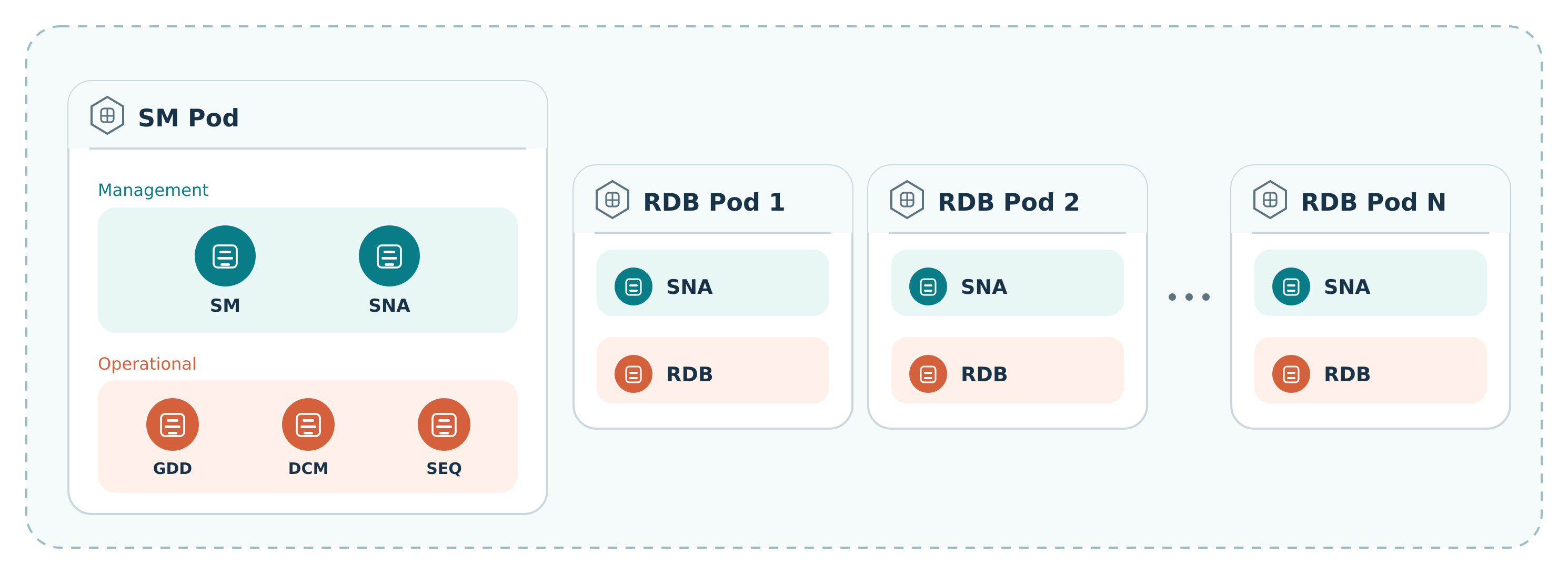
How this section is organized
- Prerequisites and Installation: what your cluster needs, and how to install the operator.
- Configuration: the
RegattaClusterspec reference, covering the object header, version and image, module settings, storage, networking, security and lifecycle, and resources and scheduling. - Examples: end-to-end walkthroughs, from a single-node quickstart to static RDB storage.
- Operations: how the operator keeps Kubernetes and RegattaDB in sync, reading status, and making supported changes.
- Troubleshooting and Release Notes.